Leave Your Message

10 Best Rugged Tablets for Global Buyers?

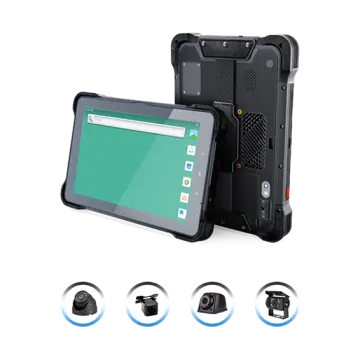
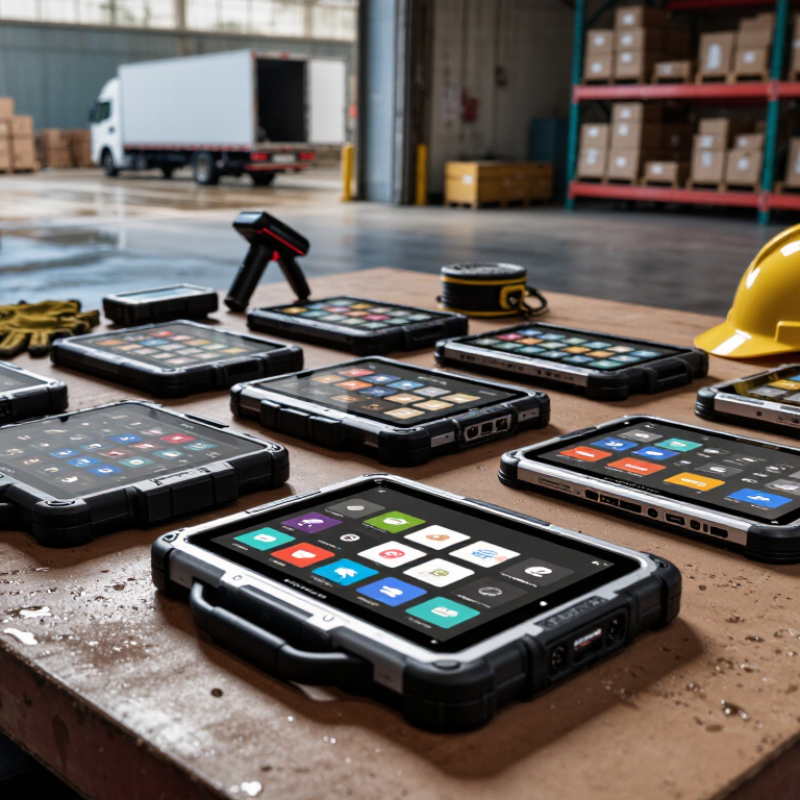
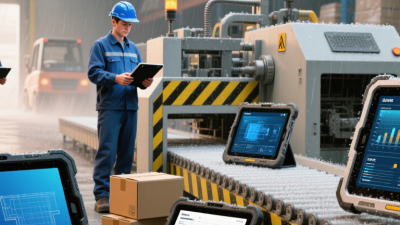
Choosing among the 10 Best Rugged Tablets for Global Buyers requires more than comparing screen size and processor speed. A Tablet Rugged model may sit in a dusty warehouse, a vibrating delivery truck, or a rain-soaked construction site. It must also support local networks, multilingual software, barcode scanning, and dependable service. IDC’s Worldwide Quarterly Tablet Tracker reported approximately 147.6 million tablet shipments worldwide in 2024, showing a large and increasingly varied market. However, standard consumer volume does not prove industrial reliability.

VDC Research’s enterprise mobility studies consistently highlight device durability, lifecycle support, and total cost of ownership as critical purchasing factors. David Krebs, Executive Vice President at VDC Research, offers a useful principle: “The right rugged device must fit the workflow, not merely survive the drop.” That distinction matters. A tablet with an IP65 rating may resist dust and water jets, while IP68 indicates stronger protection under specified testing conditions. Neither rating guarantees performance in every climate. Check the manufacturer’s test conditions.

This guide compares rugged tablets through practical details. We examine glove usability, sunlight readability, hot-swappable batteries, ports, mounting options, repair access, and international warranty coverage. MIL-STD-810H testing can provide valuable evidence, but test methods and results differ between manufacturers. That part is easy to overlook. Our ranking is therefore not perfect. Field performance depends on software, maintenance, accessories, and operator habits. Buyers should verify regional LTE or 5G bands before ordering. A durable tablet is helpful. A durable deployment is better.

10 Best Rugged Tablets for Global Buyers?

Rugged Tablet Standards: Durability, Protection, and Certification

A rugged tablet should survive real work, not only a product photograph. Buyers should examine drop height, vibration exposure, operating temperature, and water resistance. An IP65 rating can protect against dust and water jets, but it does not guarantee drop protection. These tests measure different risks. That matters.

Reliable specifications should name the test method and conditions. IEC 60529 supports ingress protection ratings, while MIL-STD-810H describes environmental testing procedures. However, military testing claims can vary by method, severity, and laboratory. A device tested for one procedure may not withstand every field situation. Ask for complete test reports, not only certification icons. Independent laboratory records provide stronger evidence.

Physical details reveal practical durability. Reinforced corners, sealed ports, raised bezels, and glove-friendly displays reduce daily damage. A replaceable battery may matter more than an impressive laboratory score. Check whether the screen works in rain, bright sunlight, and cold storage areas. Confirm charging performance and battery safety documentation for the target market. Regional conformity requirements also deserve professional review.

One weakness remains easy to miss. Ruggedness often increases weight and thickness. Workers carrying the tablet for eight hours may notice that quickly. A perfect specification sheet can still fail operationally. Trial units, user feedback, and controlled drop testing should guide the final purchase. Standards help compare devices, but careful verification protects the investment.

10 Best Rugged Tablets for Global Buyers? - Rugged Tablet Standards: Durability, Protection, and Certification

Rugged Tablet Evaluation Matrix for Global Buyers
Evaluation Area Relevant Standard or Rating Verified Requirement or Test Meaning Recommended Buyer Benchmark Why It Matters in Field Use
Ingress protection IEC 60529 IP65 or higher The first digit 6 indicates dust-tight protection. The second digit 5 indicates protection against water jets from any direction. IP65 for general outdoor work; IP66 when stronger water-jet resistance is required. Helps protect internal electronics from dust, rain, cleaning spray, and job-site debris.
Drop resistance MIL-STD-810H, Method 516.8, Procedure IV Transit-drop testing evaluates resistance to repeated drops onto a hard surface. The exact height, number of drops, orientation, and operating condition must be stated by the manufacturer. Request the complete test configuration rather than accepting only a general “military-grade” claim. Reduces the risk of damage from hand drops, vehicle movement, and accidental falls during mobile work.
Vibration and shock MIL-STD-810H, Methods 514.8 and 516.8 Vibration and functional-shock procedures assess equipment under transportation or operational stresses. Results depend on the selected logistics and equipment categories. Choose tests matching the vehicle, machinery, or transport environment in which the tablet will be used. Important for fleet vehicles, warehouses, manufacturing lines, construction equipment, and rail applications.
Operating temperature Manufacturer operating specification; environmental testing may reference MIL-STD-810H Method 501.7 and Method 502.7 High- and low-temperature procedures evaluate performance after exposure to specified temperature conditions. Storage limits are different from operating limits. For outdoor deployment, verify an operating range of at least approximately −20°C to 50°C, subject to the application. Supports reliable use in cold logistics areas, hot outdoor sites, and unconditioned facilities.
Humidity and condensation MIL-STD-810H Method 507.6; IEC 60068-2-30 Damp-heat testing exposes equipment to elevated humidity and cyclic temperature conditions that can produce condensation. Look for published humidity limits and evidence of cyclic damp-heat testing for tropical or coastal deployment. Helps limit corrosion, condensation-related faults, and connector problems in humid environments.
Screen readability Published display luminance, measured in nits Higher luminance improves visibility in bright conditions. Outdoor readability also depends on anti-glare treatment, optical bonding, and viewing angle. Approximately 700 nits or more for mixed indoor and outdoor work; confirm sunlight-readable performance with the supplier. Reduces errors and improves usability in direct sunlight, loading yards, roads, and open construction areas.
Glove and wet-touch operation Manufacturer touch-panel specification The specification should identify glove mode, wet-finger operation, stylus support, and whether these functions can be enabled through settings. Require tested glove and wet-touch modes when operators wear protective equipment or work outdoors. Allows data entry without removing safety gloves and improves operation in rain or dusty conditions.
Battery endurance Published runtime test method Runtime varies with screen brightness, wireless radios, processor load, temperature, and battery age. A runtime claim is meaningful only when its test conditions are disclosed. Target a full work shift under the intended workload and consider a replaceable or hot-swappable battery for continuous operations. Minimizes downtime and keeps mobile workers connected away from fixed charging points.
Wireless connectivity Supported Wi-Fi, cellular, Bluetooth, GNSS, and regional radio bands Connectivity must match local frequency bands, carrier certifications, SIM or eSIM requirements, and the organization’s network security policy. Verify country-specific cellular band support and required regulatory approvals before international deployment. Prevents compatibility problems when equipment is transferred across countries or regions.
Electrical and radio compliance Applicable regional conformity requirements, such as CE, FCC, UKCA, or equivalent national approvals Compliance depends on the destination market and may cover electrical safety, electromagnetic compatibility, radio equipment, and restricted substances. Request current declarations, test reports, and market-specific documentation for every intended country. Supports lawful import, deployment, and operation in international markets.
Security and lifecycle Operating-system support policy; hardware security features Evaluate secure boot, encryption support, biometric or policy controls, update availability, device-management compatibility, and spare-part coverage. Prefer a documented multi-year update and repair program aligned with the organization’s replacement cycle. Protects operational data and reduces the total cost of ownership over a long deployment period.

Note: Environmental and military-standard results are configuration-specific. Buyers should request the complete test report, including method, procedure, severity level, sample configuration, and pass criteria.

Performance, Operating Systems, and Software Compatibility

A rugged tablet should be judged by field performance, not processor labels alone. In warehouses, a bright display, glove support, sealed ports, and stable Wi-Fi often matter more than peak benchmark scores. VDC Research identifies durability, lifecycle support, and serviceability as major buying factors in rugged mobile computing. A faster chip still fails when cold-weather batteries collapse. That happens.

Operating system choice controls the daily workflow. Android suits touch-first applications, barcode tools, and lightweight fleet deployment. Windows supports legacy desktop software, industrial drivers, and complex peripheral systems. Linux can reduce licensing costs, but it may require stronger internal support. StatCounter GlobalStats reported that Android and iPadOS each held roughly half of global tablet operating-system usage during 2024, with monthly shares changing by region. Global buyers should test local language packs, offline access, encryption, and mobile-device management before ordering hundreds of units.

Software compatibility needs a longer view. Flexera’s 2024 State of the Cloud Report found that 89% of surveyed organizations used a multi-cloud strategy. That finding reinforces one practical question: can the tablet connect reliably with several cloud environments? Test browser behavior, identity login, document formats, APIs, and remote support tools. Check update policies too. A device may run today’s application, yet lose compatibility after an operating-system upgrade. Performance testing should include sunlight, wet gloves, weak signals, and eight-hour shifts. Synthetic benchmarks miss these details. I would also reserve a few units for pilot users, because specifications rarely reveal every workflow problem.

Display, Battery Life, and Usability in Harsh Environments

10 Best Rugged Tablets for Global Buyers?
Display, Battery Life, and Usability in Harsh Environments

A rugged tablet must remain readable when sunlight reflects off wet concrete. Look for high brightness, anti-glare glass, and wide viewing angles. A 10-inch display often balances visibility with field portability. Smaller screens fit vehicle mounts better, but maps and inspection forms become cramped. Glove and rain modes also matter. Test both before purchase.

Battery performance is more than a capacity number. A tablet used with GPS, cameras, and cellular data can lose power quickly. Seek a battery that supports a full work shift, even in cold weather. Replaceable packs reduce downtime at remote sites. Fast charging helps, but heat can slow charging and shorten battery life. That detail is often missed.

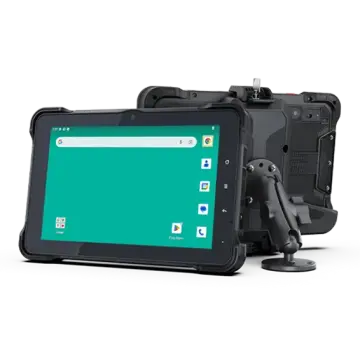
Usability decides whether rugged hardware earns its cost. Physical buttons are easier to find during vibration, dust, or heavy rain. Ports should have secure covers, while the charging dock should tolerate repeated insertion. A sealed enclosure protects against water and grit, yet it may make repairs harder. No model is perfect. Bright displays can increase power use, and thick cases add weight. Buyers should test the tablet with real gloves, vehicle mounts, software, and local network conditions before approving a global rollout. Looks tough. Performs differently.

Connectivity, Global Network Support, and Positioning Features

10 Best Rugged Tablets for Global Buyers?

Connectivity, Global Network Support, and Positioning Features

A rugged tablet for global work needs more than a strong shell. Buyers should check supported LTE and 5G bands before ordering. Network compatibility can change between countries, cities, and remote work sites. A tablet with dual SIM or eSIM support can reduce downtime during travel. Wi-Fi 6 is useful in warehouses, ports, and temporary offices with crowded networks. However, advertised speed is not the same as reliable field performance.

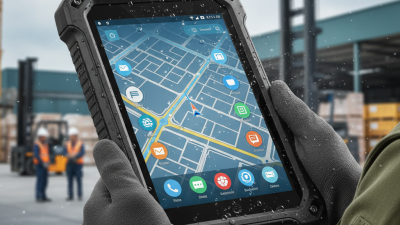
I have seen teams choose devices by processor speed alone. That approach caused problems when local networks were incompatible. The better test includes SIM activation, roaming behavior, antenna stability, and connection recovery. Check whether the tablet supports major global navigation systems, such as GPS, Galileo, GLONASS, or BeiDou. Multi-constellation positioning can improve accuracy near buildings, hills, and heavy machinery. Yet positioning may still drift indoors. That limitation deserves attention.

A dependable model should provide fast location fixes, offline map support, and a visible accuracy indicator. Field workers may need sub-meter precision, but ordinary inspection tasks often need less. Confirm whether the device supports external positioning accessories when higher accuracy matters. Look for clear documentation, firmware updates, and regional service coverage. These details reveal technical reliability better than marketing language. Test the tablet with local SIM cards and real routes whenever possible. Lab results can look excellent. Mud, metal walls, and weak towers tell a different story.

10 Best Rugged Tablets for Global Buyers: Connectivity and Positioning Capability

Typical open-sky horizontal positioning accuracy by supported technology

Multi-constellation GNSS generally improves availability and reliability compared with GPS-only positioning. SBAS can improve accuracy to approximately 1–3 meters in supported regions, while RTK can reach centimeter-level accuracy when correction data and compatible hardware are available. Actual performance depends on antenna design, satellite visibility, atmospheric conditions, correction services, and network coverage.

Comparing the 10 Best Rugged Tablets for Different Industries

Choosing among the 10 best rugged tablets depends on the workplace, not advertising claims. A construction tablet needs a bright screen, glove-friendly controls, and strong drop protection. In logistics, a built-in barcode reader and comfortable one-handed grip matter more. Warehouse staff may prefer a replaceable battery for long shifts. Small details matter.

For field service teams, accurate location tools, clear cameras, and reliable cellular access can reduce repeat visits. Utility workers often need sunlight readability, physical ports, and protection against rain, dust, and accidental drops. Healthcare teams may value easy cleaning, quiet operation, and secure access controls. Agricultural workers need displays that remain usable near soil, moisture, and changing temperatures. Transport operators usually prioritize mounting stability, quick charging, and readable navigation.

The remaining options suit public safety, manufacturing, energy inspection, and outdoor inventory work. I would test each device with wet gloves, a damaged charging cable, and a full day of data entry. Laboratory specifications help, but real workflows reveal weaknesses. No tablet wins everywhere. A heavy chassis can survive more abuse, yet it may tire a technician after eight hours. A sealed design improves protection, but repairs may become slower and more expensive. Buyers should compare warranty terms, update support, battery replacement, screen visibility, and accessory availability. I have seen teams choose the toughest enclosure and overlook software compatibility. That choice can disrupt an entire operation.